Vibe Coding: The 10‑Minute Win
The opening of my text course “Vibe Coding: from idea to a live website” – both Start Here chapters, in full, with the first prompt. One sitting, and you have a page that looks like a real site open in your browser – your name, a spot for your photo, work, services, a contact form. Placeholders for now; the rest of the book is about making them yours and getting the site online.
The method, in fifteen minutes
You describe a page in your own words, an assistant writes the code, you save one file and double‑click it – and there it is, in your browser. That loop is the whole course; the paid editions only add more moving parts. The sample lets you feel it before you decide.
- Prompt P-01: in ten minutes – your name, a photo spot, work, services, a contact form (placeholders for now)
- The book as an html file – opens in any browser, works offline and on a phone
- The same sample as a PDF – for a tablet or print
- Prompt P-01 as a separate text file – copy without typos
What a lesson looks like
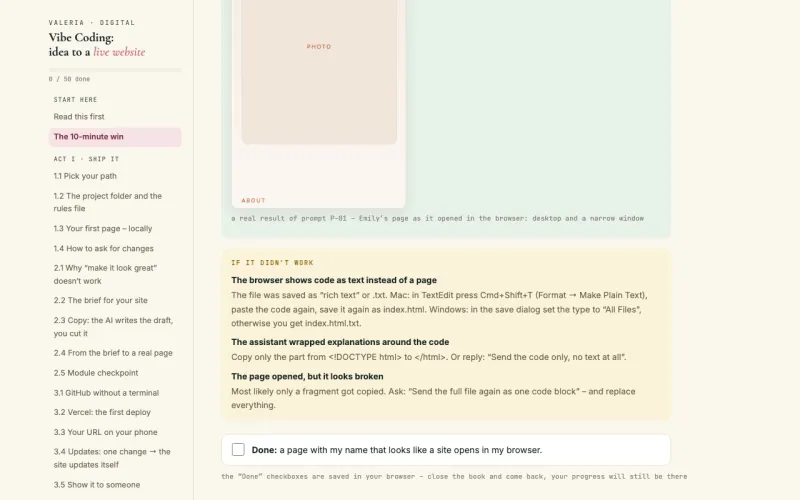
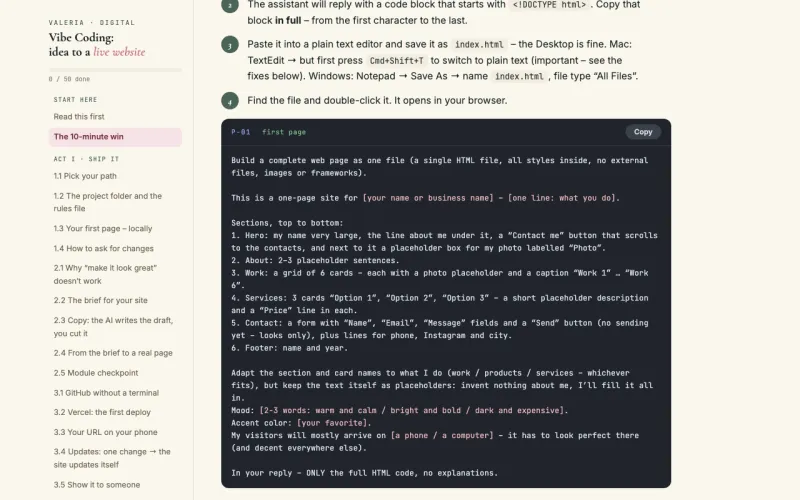
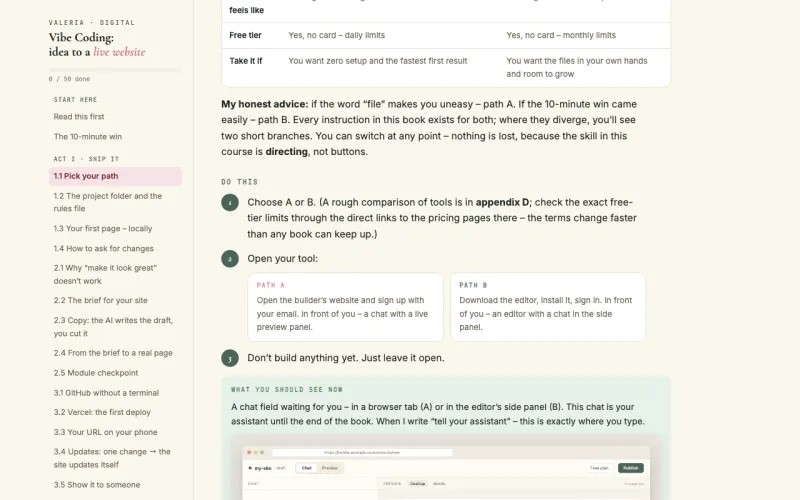
Pages from the English edition, as they are inside the book.
One worked example runs through every module – a page for Emily Carter, an invented wedding photographer. You build her site with her, step by step: brief, prompts, first page, a live address. Then you do the same for yourself.
Where the course goes next
Launch Edition
- Start Here + modules 1–3
- From zero to a published site at its own address
- A prompt for every lesson
Full Course
- Start Here + modules 1–7
- Design, forms, analytics, your own domain
- Appendices A–E: prompts, briefs, glossary
- Bonus – module 8 “Your first paid job”
The English editions are sold on Whop – card, Apple Pay or Google Pay, files delivered right after checkout.
Questions people ask
Do I need to know how to code?
No. The book is written for someone who has never written code. You work with an AI assistant: it writes the code, you set the task, check the result and ask for changes. How to set the task properly – that is what the book teaches.
Is the sample the real text, or a teaser?
The real text – both Start Here chapters exactly as they are in the paid editions, nothing cut. In ten minutes you have a page that looks like a real site open in your browser (name, photo spot, work, services, contact form – placeholders for now). The menu shows the rest of the book, so you can see where it goes.
What do I need to start?
A computer and an email address. Every service the book uses has a free tier – that is what everything runs on. Where to sign up and what to click is laid out step by step with screenshots.
The email didn’t arrive?
Give it five minutes and check the spam folder. If it is still missing, message me on Telegram @volikablack – I’ll send it by hand.